Brand
Using the SimpleSign365 brand
The name, mark, colors, typography and descriptions for anyone writing about, reviewing or linking to SimpleSign365. Use them as they are. No need to ask.
Questions? Write to [email protected]
Name
How to write the name
One word, capital S twice, no space before 365.
Do
- SimpleSign365: one word, capital S twice, no space before 365.
- Short form in running text: SimpleSign365. Do not shorten it to Simple Sign or SS365.
- Say "document", not "envelope". Say "EU or US storage", not "region".
- Say "from your own mailbox" or "from your own Microsoft 365 mailbox".
- Say "permission" for the mail permission, and "signer" for the person who signs.
Don't
- Simple Sign 365, Simplesign365, SimpleSign 365, SIMPLESIGN365.
- "In Outlook" or "from Outlook": there is no Outlook add-in.
- "Qualified" or "advanced" signature. Ours are simple electronic signatures with a seal.
- Technical words on general pages: tenant, Entra, OAuth, hash, key vault.
- Hype and buzzwords. Keep sentences short and concrete.
Mark
The mark
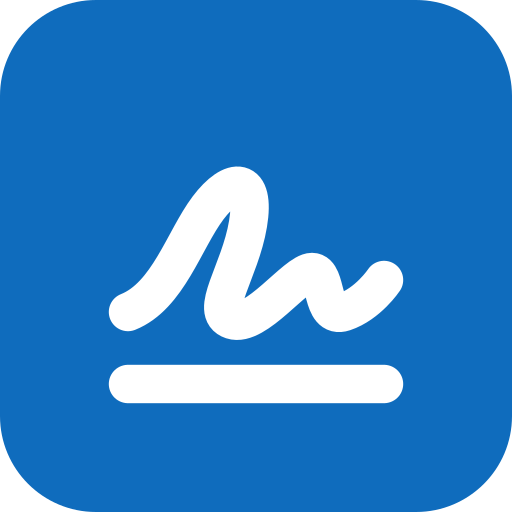
A blue rounded square with a white signature stroke. The name is set next to it in type, not drawn as a logo file.
Mark with name, on white
Default. Set the name in Source Sans 3 semibold, in Ink (#242424), at about half the height of the mark.
Mark with name, on dark
Keep the blue mark and set the name in white.
Downloads

Clear space and size
- Keep clear space around the mark of at least a quarter of its width.
- Do not show the mark smaller than 16 px, or the mark with name smaller than 24 px high.
- Do not recolor, stretch, rotate, outline or add effects to the mark.
- Do not use the green of signed documents for the mark.
Color
Colors
Blue carries the brand. Green is reserved for signed and sealed.
Brand blue
#0f6cbd
The mark, buttons and links on white.
Brand blue, hover
#115ea3
Hover states and link text.
Brand tint
#ebf3fc
Light panels and highlights.
Ink
#242424
Headings and body text.
Signed green
#107c10
Only for signed and sealed. Never as decoration.
Line grey
#e0e0e0
Borders and dividers.
Typography
Typography
Merriweather for headings, Source Sans 3 for everything else. Both are free and open source (SIL Open Font License).
Headings
Get it signed today
Merriweather, semibold. Page titles, section titles and card titles.
"Merriweather", Georgia, serif
Text
Send documents for signature from your own Microsoft 365 mailbox. Signers need no account.
Source Sans 3, regular for text, semibold for buttons, labels and the name next to the mark.
"Source Sans 3", system-ui, sans-serif
- Sentence case, not title case.
- The name next to the mark is set in Source Sans 3 semibold, not the serif.
- Monospace (Cascadia Mono, then system monospace) only for code and technical values.
- Download both from Google Fonts: Merriweather and Source Sans 3.
Descriptions
Descriptions
Use any of these as they are.
One line
SimpleSign365 is document signing for small offices on Microsoft 365: send a document for signature from your own mailbox and get back a signed PDF that shows if anyone changes it.
Short (about 50 words)
SimpleSign365 lets small offices send documents for signature from their own Microsoft 365 mailbox. Signers need no account: they confirm their email with a code and sign in the browser. Everyone receives a signed PDF with a seal that shows any later change. Documents are stored in the EU or the US.
Long (about 100 words)
SimpleSign365 is document signing software for small offices on Microsoft 365. A sender signs in with their Microsoft work account, uploads a PDF or Word file, marks where people sign and sends it. The request arrives as a normal email from the sender's own mailbox, with a copy in Sent Items. Signers need no account: they confirm their email with a code and sign in the browser. When everyone has signed, all parties receive the finished PDF, sealed with a trusted timestamp and a signing history that anyone can check on the website. Each organisation chooses EU or US storage once. There is a free plan, and paid plans start at $8 per month.
Facts
Key facts
- Product
- SimpleSign365, document signing for small offices on Microsoft 365
- Company
- SimpleSoftware365, Vienna, Austria
- Requires
- A Microsoft 365 work account for senders. Signers need no account.
- Storage
- EU (West Europe) or US (Central US), chosen once per organisation
- Signatures
- Simple electronic signatures with a sealed PDF and a trusted timestamp
- Pricing
- Free plan, paid plans per office from $8 a month
- Website
- https://simplesign365.com
- Contact
- [email protected]
Press
Press and contact
For press questions, review copies or anything about the brand, write to the address below.